

Product teams rarely fail because of poor ideas—they fail because those ideas are misaligned long before development begins. When stakeholders interpret requirements differently, teams move fast in the wrong direction, leading to costly rework, delayed launches, and wasted budget. In fact, research shows that fixing issues after development can cost up to 100 times more than addressing them during the design phase.
This often stems from a lack of clarity around one critical question: should you start with a wireframe or jump straight into a prototype? Without a clear approach, even well-funded projects can lose momentum before they reach users.
This article will walk you through the key differences between wireframes and prototypes, when to use each, and how to leverage them to reduce risk, control costs, and accelerate your product delivery.
TL;DR
- A wireframe is a static, low-fidelity blueprint used to define the structure and information architecture of a page.
- A prototype is an interactive, high-fidelity model that mimics the final product’s user experience to test functionality and logic.
- While Wireframes focus on structure (where things go), cost-effective tools for early-stage alignment, and usually static; Prototypes focus on experience (how things work), interactive, and essential for user testing & stakeholder buy-in.
- Optimize your product roadmap with a Sunbytes UX Audit. Talk to an expert strategist today.
To understand how these assets fit into the broader UX UI design process and modern web development tools, it is helpful to view the entire project lifecycle from start to finish.
What is Wireframing?
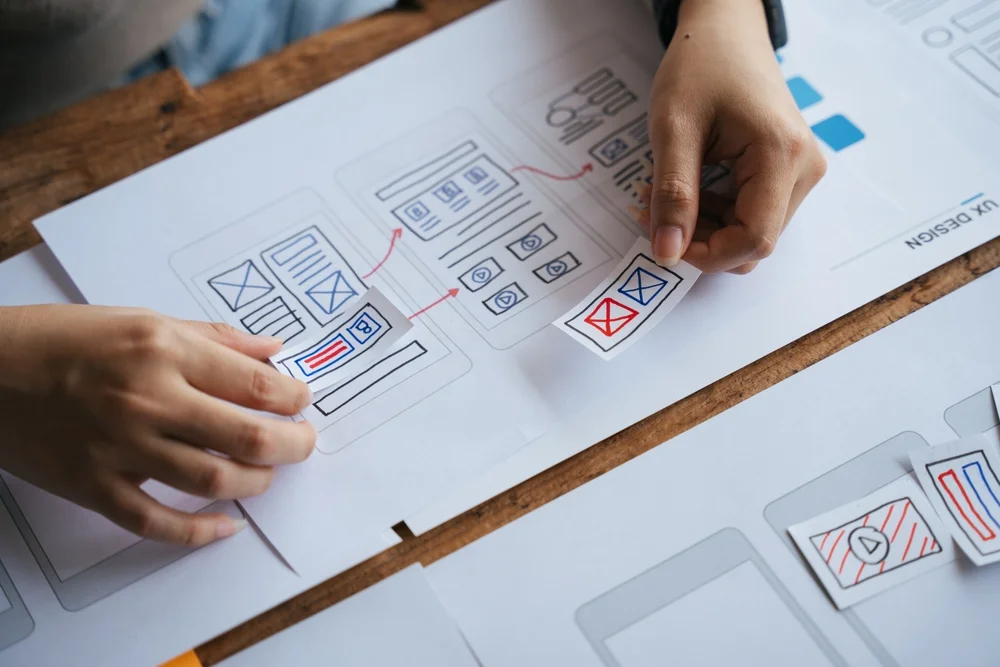
Wireframing is the process of creating a low-fidelity blueprint that defines the structure, layout, and information hierarchy of a digital product—before any visual design or development begins. It focuses on what goes where, helping teams map out key elements like navigation, content placement, and user flows without the distraction of colors, branding, or detailed UI.
From a business perspective, wireframes act as an alignment tool. They give stakeholders a clear, shared view of the product early on, making it easier to validate assumptions, spot gaps, and make decisions quickly—when changes are still inexpensive. Instead of debating design preferences later in the process, teams can agree on structure upfront and move forward with confidence.
What is a Prototype?
A prototype is an interactive, high-fidelity simulation of a digital product that demonstrates how it works in practice. Unlike wireframes, which focus on structure, prototypes bring screens to life, allowing users and stakeholders to click, navigate, and experience key flows as if the product were already built.
From a business perspective, prototypes are a validation tool. They help teams test assumptions, uncover usability issues, and evaluate critical journeys such as onboarding or checkout before committing development resources. This early feedback loop reduces the risk of building features that don’t perform or meet user expectations.
What are key benefits when building Wireframing vs Prototype?
Understanding the distinction is important, but the real value lies in how each approach contributes to business outcomes at different stages of your product development.
| Aspect | Wireframing (Early-Stage Alignment) | Prototyping (Pre-Development Validation) |
|---|---|---|
| Primary Goal | Define structure and information hierarchy | Validate user experience and functionality |
| Business Impact | Reduces misalignment between stakeholders early | Prevents costly feature rework before development |
| Speed | Fast to create and iterate (minutes to hours) | Takes longer due to interactivity (days to weeks) |
| Cost Efficiency | Low-cost way to explore multiple ideas quickly | Higher upfront cost, but saves significant dev budget later |
| Decision-Making | Enables quick approvals on layout and flow | Supports confident go/no-go decisions before build |
| Risk Reduction | Identifies gaps in requirements early | Uncovers usability issues and friction points |
| Stakeholder Engagement | Simplifies communication across teams | Creates realistic experience for deeper buy-in |
Wireframes vs Prototypes: What’s the difference?
While both wireframes and prototypes are essential in the product design process, they serve fundamentally different purposes. Understanding this distinction is what allows teams to make faster decisions, avoid misalignment, and prevent costly development rework.
| Dimension | Wireframe | Prototype |
|---|---|---|
| Core Question It Answers | What should the product look like structurally? | How will users interact with the product? |
| When It’s Used | Early-stage planning and requirement definition | Pre-development validation and user testing |
| Level of Commitment | Low — easy to change and iterate | Higher — closer to final product experience |
| What Stakeholders Evaluate | Layout, content placement, user flow logic | Usability, interaction, and overall experience |
| Typical Output | Sketches, grayscale layouts, content blocks | Clickable flows, transitions, simulated journeys |
| Impact on Development | Provides a clear blueprint for engineers | Reduces uncertainty and rework before coding |
From a business perspective, wireframes help teams get clarity fast, while prototypes help them avoid getting it wrong at scale. Using one without the other often leads to either premature development or delayed validation—both of which increase cost and risk.
While understanding these differences is the first step, applying them correctly is what prevents expensive development reworks. Discover how Sunbytes’ design-to-code workflow protects your project’s ROI.
How many types of wireframing?
Not all wireframes serve the same purpose. Depending on the stage of your product and the level of clarity needed, teams typically use three types of wireframes—each balancing speed, detail, and decision-making value.
1. Low-Fidelity Wireframes
These are quick sketches—either hand-drawn or simple digital layouts—that focus purely on structure and flow. They are ideal for early ideation, where speed matters more than precision. At this stage, teams can explore multiple directions without committing time or budget.
2. Mid-Fidelity Wireframes
Mid-fidelity wireframes introduce more structure and consistency, with defined spacing, layout grids, and placeholder content (such as “Lorem Ipsum”). They are commonly used to align teams on user flows and screen organization before moving into design.
3. High-Fidelity Wireframes
These are more detailed representations that include real content, accurate spacing, and typography—while still avoiding full visual design like colors or branding. They help teams finalize layout decisions and prepare for the transition into UI design or prototyping.
The progression from low to high fidelity allows teams to increase clarity without increasing risk too early—ensuring decisions are validated step by step rather than all at once.
How many types of prototype?
Similar to wireframes, prototypes vary in fidelity depending on how much realism and interactivity is needed. The level you choose should reflect how close you are to development—and how much risk you need to validate.
1. Low-Fidelity Prototypes
These are basic, often created from clickable wireframes or even paper sketches. They simulate simple user flows without detailed visuals, making them useful for quick validation of concepts and navigation logic.
2. Medium-Fidelity Prototypes
At this level, prototypes include more defined layouts and limited interactivity. Users can navigate key flows, but visual design is still simplified. This stage helps teams test usability and refine user journeys before investing in full design.
3. High-Fidelity Prototypes
High-fidelity prototypes are close to the final product, with polished UI, realistic interactions, animations, and sometimes real data. They are used for stakeholder presentations, user testing, and final validation before development begins.
Increasing prototype fidelity is about reducing uncertainty before committing engineering resources—ensuring what gets built has already been tested, experienced, and validated.
How do mockups bridge the gap between wireframes vs prototypes?
A mockup is a static, high-fidelity representation of the final product’s interface. It brings together branding elements such as color, typography, imagery, and UI components transforming a wireframe’s structure into a visually complete design. However, unlike prototypes, mockups do not include interactivity or clickable flows.
From a business perspective, mockups are a decision checkpoint. They allow stakeholders, especially marketing, branding, and leadership teams—to evaluate whether the product aligns with brand identity and market positioning before moving into more complex prototyping or development. This step is often where visual inconsistencies, messaging gaps, or brand misalignment are identified and resolved.
Skipping mockups and jumping directly from wireframes to prototypes can create what many teams experience as “UI debt”, where interactions are tested on top of visuals that haven’t been fully validated. This aligns with broader industry findings that poor design decisions contribute significantly to technical debt, which can account for up to 40% of IT balance sheets. In practice, mockups ensure that by the time a product becomes interactive, it is not only functional, but also cohesive, on-brand, and ready to scale.
When should you use a wireframe vs a prototype in your workflow?
The decision isn’t about choosing one over the other, it’s about using each at the right moment to control cost, speed, and risk.
Start with wireframes when clarity is still evolving
Wireframes are most effective in the early stages, when requirements are still being shaped and multiple directions are being explored. At this point, speed matters more than precision. Teams use wireframes to align on structure, define user flows, and eliminate ambiguity—before any significant time or budget is committed.
Move to prototypes when decisions need validation
Once the structure is agreed upon, prototypes become essential. This is where teams test how the product actually behaves—validating key journeys, identifying friction points, and ensuring the experience works as intended. Prototyping is particularly critical for high-impact features where mistakes are expensive.
Use both strategically based on risk and investment
- Wireframe only → Suitable for simple features, internal tools, or low-risk updates where speed is the priority.
- Full prototyping → Necessary for complex products, customer-facing platforms, or any feature tied directly to revenue, conversion, or user retention.
In practice, the transition from wireframe to prototype should happen when the question shifts from “Does this make sense?” to “Does this actually work?”—because that’s the point where validation becomes more valuable than speed.

What are the best wireframe vs prototyping tools?
The right tools shape how quickly teams can align, iterate, and validate ideas. Choosing the right one depends on whether your priority is speed (wireframing) or realism (prototyping).
Tools for static wireframing
1. Balsamiq
Balsamiq is built for speed. Its low-fidelity, sketch-style interface helps teams focus on structure and flow without getting distracted by visual details—making it ideal for early-stage ideation and quick stakeholder alignment.
2. Whimsical
Whimsical combines wireframing with flowcharts and diagrams in a single, collaborative workspace. It’s particularly useful for mapping user journeys and aligning cross-functional teams before moving into design.
Tools for interactive prototyping
1. Figma
Figma is a widely adopted, all-in-one design platform that supports both wireframing and high-fidelity prototyping. Its real-time collaboration and seamless handoff to developers make it a strong choice for modern product teams.
2. Framer
Framer focuses on creating highly interactive, visually rich prototypes with advanced animations. It’s best suited for teams that want to simulate near-production experiences, especially for customer-facing products
3. Proto.io
Proto.io is designed specifically for prototyping, offering robust interaction capabilities without requiring code. It’s a good option for teams that want to build detailed, testable prototypes quickly.
How can Sunbytes help you design high-converting wireframes and prototypes
Designing wireframes and prototypes is about making the right decisions early to protect your budget and accelerate delivery. Sunbytes brings a structured, business-first approach to UX, helping organizations translate ideas into clear, testable concepts before development begins. By aligning stakeholders early through wireframes and validating user flows with high-fidelity prototypes, we ensure that what gets built is both technically feasible and commercially effective.
What sets Sunbytes apart is the ability to bridge design and development seamlessly. Instead of treating UX as a separate phase, we integrate it into a broader delivery workflow—where every wireframe and prototype is created with scalability, performance, and real-world implementation in mind. This reduces handoff friction, minimizes rework, and enables faster, more predictable product delivery.
Why Sunbytes?
Sunbytes is a Netherlands-headquartered technology company with a delivery center in Vietnam. For over 15 years, we’ve supported global clients in transforming their digital strategies into reliable, secure, and scalable solutions—guided by our core pillars:
- Transform Business Solutions: We help organizations design and build scalable digital products by combining UX strategy with senior engineering expertiseensuring that every concept moves efficiently from wireframe to production-ready solution.
- Cybersecurity Solutions: Our approach embeds security and compliance considerations early in the process, so your product is not only user-friendly but also resilient and aligned with industry standards.
- Accelerate Workforce Solutions: Whether you need to speed up delivery or scale your team, we provide the right talent and structure to expand your capabilities without compromising quality or control.
If you’re unsure whether to start with a wireframe or move straight into prototyping, talk to our UX and engineering experts at Sunbytes. We’ll help you choose the right approach at the right stage—so you can reduce rework, control costs, and move from concept to delivery with confidence.