
Is your WordPress site loading slower than you’d like? Visitors bounce, conversions drop, and search engines penalize sluggish websites.
In a world where milliseconds matter, poor performance quickly becomes a revenue killer. A delay of even a few seconds can frustrate users, damage credibility, and cost you valuable traffic. Worse, competitors with faster sites will capture the audience you worked so hard to attract.
In this article, we’ll break down the most effective strategies for performance optimization in WordPress, helping you enhance the website development process and transform your site into a fast, responsive and high-performing platform.
TL;DR
- Performance optimization in WordPress focuses on enhancing website’s speed, efficiency and user experience while ensuring stability and scalability
- Backend optimization covers refining code practices, streamlining database queries, implementing efficient caching strategies and managing themes and plugins to minimize unnecessary load and complexity.
- Frontend optimization techniques involve compressing images, minifying CSS and JavaScript files, reducing render-blocking resources, leveraging CDNs, and enabling lazy loading.
- To track performance optimization in WordPress, tools such as Google PageSpeed Insights, Lighthouse, GTmetrix, WebPageTest, and Query Monitor help pinpoint bottlenecks, monitor progress, and guide ongoing improvements.
What is performance optimization in WordPress?
Performance optimization in WordPress is the process of improving your website’s speed, responsiveness and overall efficiency by reducing bottlenecks in PHP execution, optimizing assets, and fine-tuning server configurations.
Key areas include:
- Page load speed: Ensuring web pages load quickly to keep users engaged and reduce bounce rates
- Server response time: Minimizing the time it takes for the server and PHP to process requests and deliver content.
- Backend optimization (PHP & database): Improving performance by optimizing PHP execution, database queries, and server-side logic
- Frontend optimization (assets & rendering): Enhancing how CSS, JavaScript, and images are delivered and rendered in the browser for a smoother experience.
The importance of performance optimization in WordPress
A recent study by Hostinger revealed that a one-second page delay can cut conversions by 7%. This makes performance optimization in WordPress no longer a nice‑to‑have, it’s a necessity that brings multiple advantages:
- Enhanced user experience: A fast site delivers smooth navigation and a professional feel that encourages users to stay longer.
- SEO & visibility: Search engines reward speed. With Google’s Core Web Vitals, performance optimization helps your WordPress site rank higher, attract more organic traffic, and get content indexed faster.
- Conversions: Faster websites lead to higher engagement, more completed purchases or sign-ups, and ultimately increased revenue
- Scalability: Performance optimization ensures WordPress can handle spikes in visitors smoothly, supporting business growth without downtime.
- Security: A lean, updated, and well-optimized WordPress site is less vulnerable to attacks and downtime, offering a safer experience for users.
Backend techniques for performance optimization in WordPress
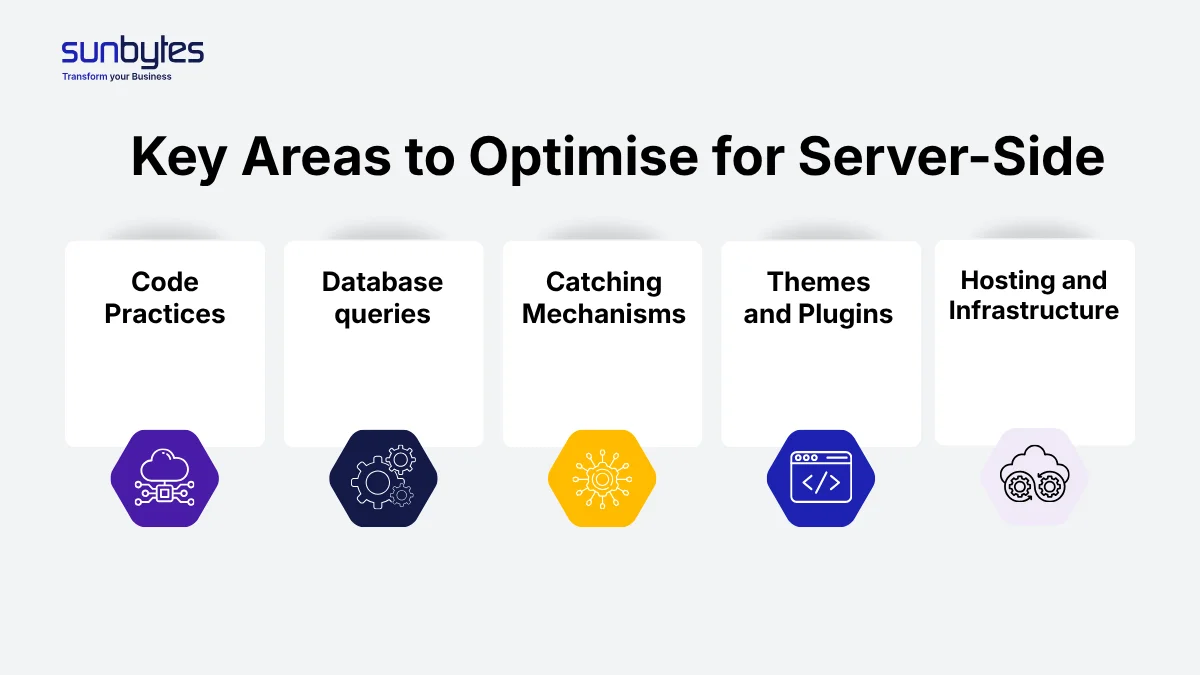
Performance optimization in WordPress starts with the backend, where PHP code, database queries, caching, and plugins play a critical role. By refining these elements, you can significantly improve site speed, efficiency, and reliability. Below are practical best practices to help your site run faster and more smoothly:
Efficient code practices
Writing clean, efficient PHP code is essential for WordPress performance. Key techniques include:
- Avoiding unnecessary loops and repeated function calls
- Using built-in WordPress functions instead of custom ones when possible
- Reducing global variables and heavy computations on page load
- Leveraging PHP 8+ features for faster execution
Database query optimization
The database is often the main bottleneck in WordPress. Activities for optimizing queries involve:
- Minimize heavy queries and use indexes on frequently queried fields
- Use WP_Query efficiently, avoiding unnecessary loops
- Remove unnecessary post revisions, transient data, and spam comments
- Consider object caching (Redis, Memcached) to store query results
Caching strategies
Caching reduces the amount of PHP processing needed for every request:
- Serve pre-rendered HTML instead of running PHP on every visit
- Store database query results in memory for faster retrieval
- Enable OPcache to store compiled PHP bytecode and reduce repeated compilation
Optimizing themes and plugins
Plugin and theme development can heavily impact WordPress performance. Best practices include:
- Use lightweight themes coded for performance
- Keep plugins updated to ensure efficient code execution
- Audit plugins and remove unused or heavy ones
Hosting & infrastructure
Even optimized PHP code needs a capable server environment to perform well:
- Choose hosting that supports the latest PHP versions and OPcache
- Use Nginx or LiteSpeed for faster request handling
- Consider managed WordPress hosting optimized for performance
- Leverage CDNs to offload static assets and reduce server workload
Frontend strategies for performance optimization in WordPress
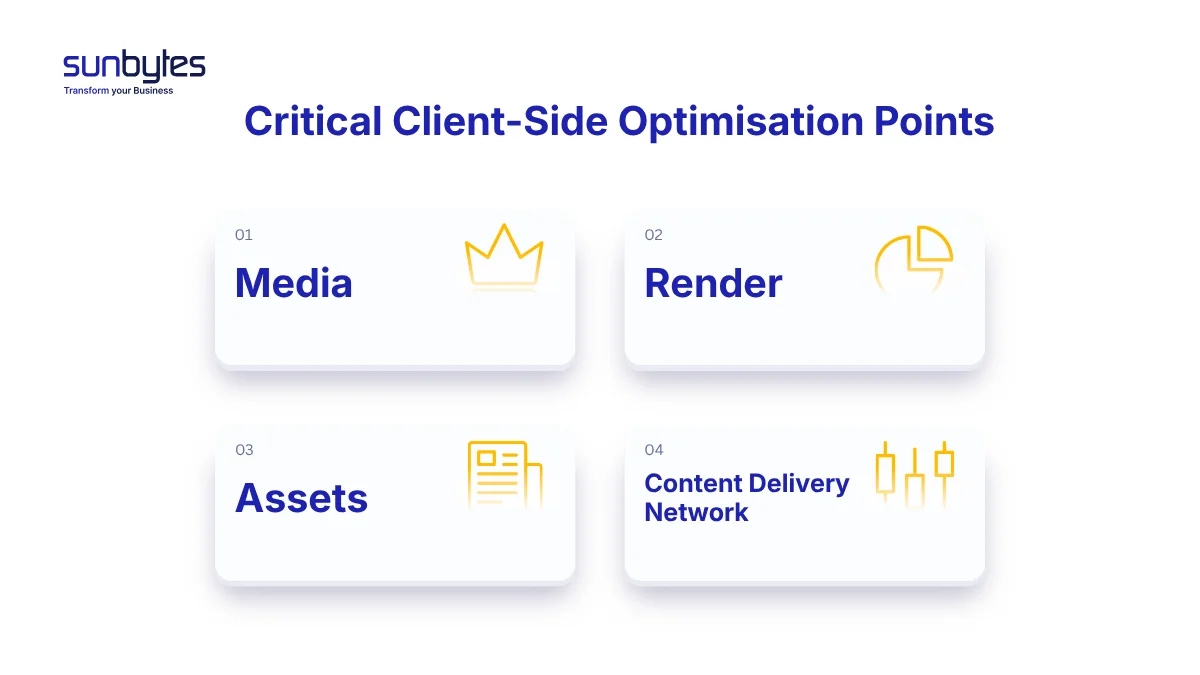
Performance optimization in WordPress isn’t complete without focusing on the frontend. Frontend optimization ensures that content is delivered and displayed efficiently, creating a smoother user experience. Even with a fast backend, slow frontend rendering can make your site feel sluggish. Key strategies include:
Image optimization
Compressing images, using the correct dimensions, and adopting modern formats like WebP or AVIF can drastically reduce page weight without sacrificing quality. Optimized images help pages load faster, improve Core Web Vitals, and enhance user experience.
Minify asset
CSS, JavaScript, and HTML files often contain unnecessary spaces, comments, or redundant code. Minifying these assets reduces their file size, which shortens download time and speeds up rendering. Combining multiple files into one can also reduce the number of HTTP requests, further improving load time
Reduce render blocking
Some scripts and stylesheets block the browser from rendering the page until they are fully loaded. By deferring non-critical CSS/JS or loading them asynchronously, you ensure that the main content appears quickly, improving perceived performance and user engagement.
Use a Content Delivery Network (CDN)
A CDN stores copies of your static assets on servers around the world. When a user visits your site, these assets are delivered from the nearest server, reducing latency and speeding up page load times, especially for international audiences.
Lazy loading for media
Lazy loading delays loading images or videos until they appear in the user’s viewport. This reduces initial page load time and decreases bandwidth usage, which is particularly important for mobile users.
For additional strategies on improving frontend performance, check out our guide ‘’Front-End Web Development Best Practices: 9 Ways to Build Fast, High-Performance Websites’’
WordPress performance optimization checklist
Here’s a step-by-step performance optimization in WordPress checklist you can follow to make your site faster, more secure, and more scalable:
Step 1: Update Core, PHP, and plugins
Always run the latest version of WordPress, themes, and plugins to ensure your site runs on the latest, most secure code. Upgrading to the newest stable PHP version improves execution speed and closes vulnerabilities, making your site faster and safer.
Step 2: Choose quality hosting
Your hosting environment sets the foundation for performance optimization in WordPress. Opt for a provider that offers WordPress‑optimized servers, supports the latest PHP versions, and includes features like OPcache or LiteSpeed for better efficiency.
Step 3: Enable caching
Caching reduces the need for PHP to rebuild pages on every request. By using page caching, object caching, and browser caching, you can serve content faster and significantly lower server load.
Step 4: Optimize database
Over time, databases accumulate clutter such as post revisions and unused tables. Regular cleanup and query optimization streamline performance, ensuring faster data retrieval and smoother backend operations.
Step 5: Compress & optimize images
Large images slow down page loads. Convert them to modern formats like WebP and compress them and enable lazy loading so media only loads when users scroll. This reduces initial page weight while preserving visual appeal
Step 6: Minify & defer assets
CSS, JavaScript, and HTML often contain unnecessary characters and code. Minifying these files and deferring non‑critical scripts reduces render‑blocking, allowing browsers to display content faster.
Step 7: Review code
Take time to audit your site’s code for efficiency. Eliminate unnecessary loops and repeated function calls, and rely on built-in WordPress functions wherever possible. Keep global variables to a minimum, and take advantage of modern PHP 8+ features to streamline execution.
Step 8: Optimize themes & plugins
Heavy or poorly coded themes and plugins can drag down performance. Choose lightweight, well‑maintained options, remove unused plugins, and audit regularly to ensure your site runs efficiently.
Step 9: Implement a CDN
A Content Delivery Network distributes your site’s assets across global servers. This reduces latency for visitors worldwide, ensuring faster load times regardless of location.
Step 10: Monitor Performance
Regular testing with tools like Google PageSpeed Insights or GTmetrix helps you identify bottlenecks. Evaluating Core Web Vitals ensures your site meets modern SEO and user experience standards, keeping performance optimization in WordPress on track
Benchmarking tools for performance optimization in WordPress
Monitoring performance is essential to identify bottlenecks and measure the impact of your optimization efforts. The following tools provide insights into front-end speed, backend performance, and Core Web Vitals
| Tool | Benchmark / Use Case | Metrics to Track | Notes |
|---|---|---|---|
| Google PageSpeed Insights | Overall site speed & Core Web Vitals | Largest contentful paint (LCP)First input delay (FID)Cumulative layout shift (CLS)Performance score | Directly tied to Google ranking signals. Essential for SEO compliance. |
| GTmetrix | Page load, requests, and performance score | Fully loaded timeTotal page sizeNumber of requestsPerformance & structure scores | Great for spotting slow scripts, large assets, and monitoring over time. |
| WebPageTest | Detailed waterfall analysis & optimization suggestions | First byte timeStart renderSpeed indexTime to interactive | Allows testing from multiple locations and simulating different devices. |
| Lighthouse (built-in Chrome DevTools) | Performance, accessibility, SEO, best practices | Performance scoreTime to interactiveTotal blocking timeCumulative layout shift | Runs directly in Chrome DevTools or via CLI. Useful for developers to test locally and iteratively during development. |
| Query Monitor (WordPress plugin) | Backend PHP and database performance | Slow queriesHooksAPI callsPHP execution time | Developer‑focused tool. Helps identify bottlenecks in themes/plugins, debug REST API calls, and monitor memory usage. |
Achieve peak WordPress performance with SunBytes
Reaching advanced performance optimization in WordPress isn’t just about speed, it’s about building a stable, secure, and scalable foundation that supports your long-term growth.
With Sunbytes, you gain a partner that understands how to optimize every layer of your WordPress ecosystem, from code and infrastructure to security and ongoing maintenance. Backed by our experienced full‑stack developers, we ensure your platform runs efficiently today and remains resilient as your business evolves.
Ready to take your WordPress performance to the next level? Get in touch with our experts for faster, secure and truly scalable digital experiences.
About Sunbytes
Sunbytes is a Dutch technology company with headquarters in the Netherlands and a delivery hub in Vietnam. For more than 15 years, we’ve partnered with global teams to accelerate Digital Transformation Solutions with senior engineering talent that delivers reliably and creates long‑term impact.
Our strength in Digital Transformation comes from how it is reinforced by two key pillars
- CyberSecurity Solutions: Guided by our Secure by Design philosophy, we ensure modernization doesn’t introduce fragility. Security is embedded from the start, aligned with real architectures and translated into practical safeguards that teams can sustain over time.
- Accelerate Workforce Solutions: Transformation at scale requires the right expertise at the right moment. We help organizations expand capacity and bring in critical skills efficiently, keeping roadmaps on track and delivery models resilient as demands increase.
FAQs
You can identify PHP bottlenecks by using tools like the Query Monitor plugin to spot slow functions and database queries, checking server response times (TTFB) with GTmetrix or Pingdom, profiling PHP with New Relic or Xdebug, and testing performance on the latest PHP version (PHP 8+) to see improvements.
For effective performance optimization in WordPress, you should review PHP performance at least every 3–6 months or whenever you add new plugins, themes, or major site features. Regular monitoring ensures your WordPress site remains fast, scalable, and responsive as traffic and content grow.
There’s no fixed number, but each plugin adds PHP execution and database queries, which can affect performance optimization in WordPress. Focus on quality over quantity, regularly audit plugins, and remove unnecessary or redundant ones to maintain performance.
To measure the impact of performance optimization in WordPress, compare before‑and‑after benchmarks using tools like GTmetrix or Google PageSpeed Insights. Track metrics such as Time to First Byte (TTFB), Largest Contentful Paint (LCP), page load time, number of requests, and PHP execution time to clearly see performance gains.
Let’s start with Sunbytes
Let us know your requirements for the team and we will contact you right away.