

A mobile app development brief should not tell vendors how to build your app. It should tell them what the app must achieve, who will use it, what constraints are fixed, and where you need their recommendation. That distinction matters. If three vendors receive the same vague brief, they will each fill the gaps with different assumptions. One may quote an MVP. One may quote a full product. One may quote only the frontend and assume your backend team handles the rest. The result is not a price comparison. It is three different scopes wearing the same label. This guide gives Dutch and EU companies a practical mobile app development brief template built from the vendor side: the information a development team needs before it can give a useful estimate, ask sharp follow-up questions, and propose a delivery model that fits the project.
TL;DR
A strong mobile app development brief covers 10 sections: company context, target users, core features, platform constraints, integrations, compliance, design references, team model, timeline and budget, and open vendor questions. Specify business outcomes and fixed constraints; leave the implementation approach open unless you have strong evidence. The goal is not a longer brief. The goal is a brief vendors can quote without guessing.
Key takeaways:
- Keep the brief around 1–3 pages. The goal is not to write a full specification, but to give vendors enough context to quote the same project.
- Use MoSCoW prioritisation to separate must-have, should-have, could-have, and won’t-have scope.
- For Dutch and EU companies, compliance and data requirements belong in the first brief, not in sprint four.
- A budget range produces better vendor recommendations than “budget is flexible.”
What is a mobile app development brief?
A mobile app development brief is a short pre-vendor document that explains what you want to build, why it matters, who will use it, and what constraints the vendor must consider before estimating the work.
It is different from a software requirements specification. A brief is used before or during vendor selection. A specification is usually produced after discovery, when the architecture, workflows, user stories, and acceptance criteria are clearer.
For a Dutch or EU company preparing to hire a dedicated development team, the brief has one job: help vendors quote the same project, not three different interpretations of it.
Why most mobile app briefs produce quotes you cannot compare
If your brief goes to three vendors and the quotes come back at EUR 25K, EUR 80K, and EUR 180K, the problem is rarely “vendor pricing is random.” The brief had gaps.
A vague brief forces vendors to invent assumptions. “We need a user-friendly app with login, payments, push notifications, and an admin dashboard” sounds clear until the vendor starts estimating. Which users? Which payment provider? Which markets? Which data? Which backend? Which launch deadline? Which platform?
A too-prescriptive brief creates a different problem. If the brief says “must use React Native, PostgreSQL, 47 screens, and this exact admin workflow” before technical discovery, the vendor may quote your assumptions rather than challenge them. You get a price, but not necessarily the right delivery plan.
The working middle is more useful: define the outcome, user context, fixed constraints, risk areas, and budget range. Let the vendor propose the build approach and explain the trade-offs.
What to specify and what to leave open
The best brief is specific where the vendor cannot guess and open where the vendor should advise.
| Brief area | Specify or leave open? | Why it matters |
|---|---|---|
| Business outcomes | Specify | Vendors need to know what success looks like after launch. |
| Target users | Specify | User type affects UX, QA, infrastructure, and support needs. |
| Existing systems and integrations | Specify | Integration work is rarely “minor” once API access, test data, and error handling are included. |
| Compliance and data requirements | Specify | For EU users, GDPR applies to personal data processing regardless of technology used. |
| Budget range | Specify | A range lets vendors propose trade-offs instead of quoting the maximum interpretation. |
| Hard deadline | Specify | A fixed launch date changes team size, sprint structure, and release planning. |
| Technology stack | Leave open | Unless your internal team must maintain it, let the vendor recommend the stack. |
| Feature implementation detail | Leave open | Describe the user job, not every UI pattern. |
| Platform choice | Leave open when possible | Native (iOS vs Android) or cross-platform (React Native vs Flutter) should follow user base, budget, and product requirements. |
| Architecture | Leave open unless constrained | The vendor should explain the architecture, not inherit an untested one. |
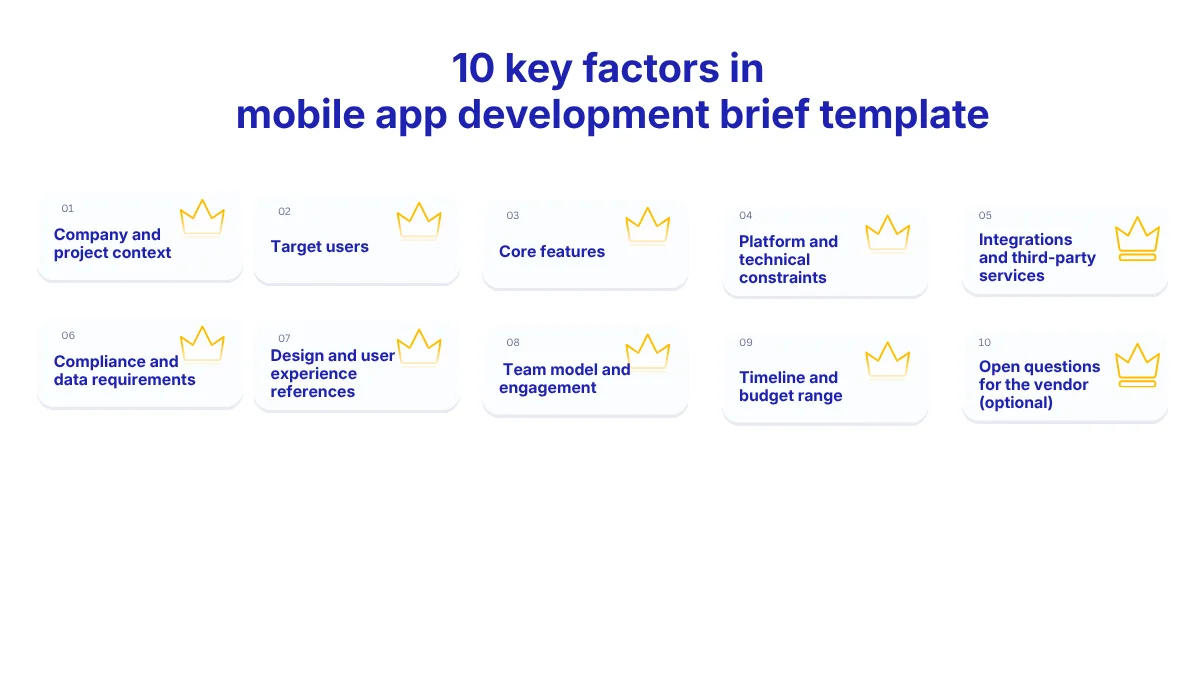
The 10-section mobile app development brief template
Use the sections below as the working structure for your brief. Each section includes a vendor note: what a development company does with that information when preparing an estimate.
Section 1: Company and project context
Include:
- Company name, website, industry, and location
- Project name or working title
- One-paragraph description of what the app does
- Why you are building it now
- Whether this is a new product, replacement system, or extension of an existing product
If this section is empty, the vendor cannot judge the project’s risk profile. An MVP, a replacement for a legacy internal tool, and an extension of an existing SaaS product may share features, but they do not share the same delivery risk.
Vendor note: We use this section to understand the project type before estimating. A replacement system needs migration and adoption planning. A new MVP needs fast validation. An extension of an existing product needs architectural alignment with what is already live.
Section 2: Target users
Include:
- Primary user persona: role, context, device, and technical literacy
- Secondary user groups, if relevant
- Expected number of users at launch
- Expected user growth over 6–12 months
- Whether users are internal employees, customers, partners, or public users
A 50-user internal operations app and a 50,000-user consumer app can have the same feature list. They do not need the same backend, analytics, testing, or support model.
Vendor note: We use user volume and user type to estimate infrastructure, QA depth, authentication needs, and release risk. “General public” is not a useful persona. “Dutch field technicians using company-issued Android phones during site visits” is.
Section 3: Core features using MoSCoW
MoSCoW stands for Must have, Should have, Could have, and Won’t have this time. The Agile Business Consortium describes it as a prioritisation technique for understanding and managing project priorities.
Use this structure:
| Must have for MVP | Should have after launch | Could have later | Won’t have this time |
|---|---|---|---|
| Account creation | Advanced analytics | In-app chat | Native tablet version |
| Booking flow | Admin export | Loyalty points | ERP integration |
| Payment flow | Push notification preferences | Referral feature | Multi-language launch |
The “won’t have” column is not optional. It prevents the most expensive phrase in app development: “while we’re at it.”
Vendor note: We use the won’t-have list to protect the estimate. Without explicit exclusions, vendors must either add contingency or assume later change requests. A brief with no exclusions usually produces a quote that looks cheaper than the real project.
Section 4: Platform and technical constraints
Include:
- Platform preference: iOS, Android, both, cross-platform, or no preference
- Minimum operating system requirements, if known
- Device types: phone, tablet, rugged device, kiosk, or wearable
- Existing backend, APIs, databases, or cloud provider
- Internal technical standards the vendor must follow
“No preference” is a valid answer. It is often the best answer at a brief stage.
If you already know that 90% of users are on company-issued Android devices, say so. If not, leave the platform decision open and ask the vendor to recommend the path.
Vendor note: We use this section to decide whether the quote should cover native development, cross-platform development, backend changes, or integration into an existing technical environment. A strong platform preference without a business reason is something we will challenge in the first scoping call.
Section 5: Integrations and third-party services
Include:
- Internal systems: CRM, ERP, HRIS, inventory, warehouse, payment, identity provider
- Third-party APIs already selected
- API documentation status
- Whether test environments are available
- Data formats and ownership rules
Integrations are often underestimated because they look small in the interface. “Login with Google” may be one button to the user, but it still requires configuration, access control, security handling, and testing.
Vendor note: We use this section to estimate API review, test environment setup, error handling, fallback logic, and dependency risk. Every integration should be listed, including the ones that seem obvious.
Section 6: Compliance and data requirements
Include:
- Personal data collected: name, email, phone number, location, payment data, employee data, health data
- User location: EU, UK, US, global, or mixed
- Data residency preference, such as EU-only hosting
- Industry requirements, such as healthcare, finance, education, or public sector rules
- Whether a DPA, DPIA, or internal security review is required
For apps processing personal data from EU users, GDPR is not a legal note to add later. The European Commission explains that GDPR applies to personal data regardless of the technology used, including automated processing in IT systems. Article 32 also requires appropriate technical and organisational measures for security of processing, including measures linked to confidentiality, integrity, availability, and resilience.
Vendor note: When this section is blank, we put compliance review at the top of the first scoping call. That does not make the project impossible. It makes the estimate slower and less stable. Even a partial answer helps us include compliance work in the first quote instead of surfacing it later as a change request.
Section 7: Design and user experience references
Include:
- 2–3 apps whose UX you like
- A short note explaining what you like about each one
- Brand guidelines, logo, colour palette, typography, or design system
- Existing wireframes or prototypes, if available
- Accessibility expectations, if relevant
“Make it like Uber” is not a design brief. “We like Uber’s map-first booking flow, but we need a denser admin view for dispatchers” is useful.
Vendor note: We use this section to estimate product design effort. If you already have approved designs, the work is different from building UX from a blank page. If you have references but no design system, we quote discovery and design work before development.
Section 8: Team model and engagement preference
Include:
- Preferred model: dedicated team, project-based delivery, staff augmentation, or unsure
- Internal team involvement
- Product owner availability
- Sprint cadence preference
- Timezone constraints
- Whether the vendor will maintain the app after launch
This section decides whether the vendor quotes a dedicated development team or a fixed-scope project. Those are different commercial models.
A fixed-scope project works when requirements are stable. A dedicated team works better when scope will evolve, internal stakeholders need regular input, or the app is part of a longer product roadmap.
Vendor note: We use this section to design the team shape: seniority, roles, overlap hours, sprint rhythm, and delivery ownership.
Section 9: Timeline and budget range
Include:
- Target launch window
- Hard deadline, if any, with the business reason
- Budget range, not a single number
- Whether the range is firm or indicative
- Any procurement approval thresholds
“Budget is flexible” usually produces the wrong quote. It tells the vendor to estimate the full interpretation of your scope, not the version that fits your constraints.
A range such as EUR 40K–70K gives the vendor room to recommend trade-offs. If the brief describes an EUR 80K app and your range is EUR 15K, that mismatch should surface in the first call, not after two weeks of scoping.
Vendor note: We use the mobile app development budget range to decide whether to quote the full scope, phase the MVP, reduce non-critical features, or recommend a different team model. Budget transparency does not weaken your negotiating position. It reduces wasted scoping.
Section 10: Open questions for the vendor
Include questions you want the vendor to help answer, such as:
- Should we build iOS-first, Android-first, or cross-platform?
- What would you recommend for our backend setup?
- Which features should stay out of the MVP?
- Which integrations create the highest delivery risk?
- What would you need from our internal team in the first two weeks?
This section is optional, but it changes the quality of the vendor conversation.
Vendor note: We use open questions to understand the relationship you want. If you ask for recommendations, we know you want a partner who can challenge assumptions. If every technical decision is already fixed, we know the engagement is closer to execution capacity.
These questions also help you compare vendors later, especially when paired with a 11-criteria framework for evaluating a mobile app development company in Europe
Download Sunbytes’ free mobile app development brief template to reduce scope gaps, estimation errors, and costly rework
The four sections Dutch and EU companies most often get wrong
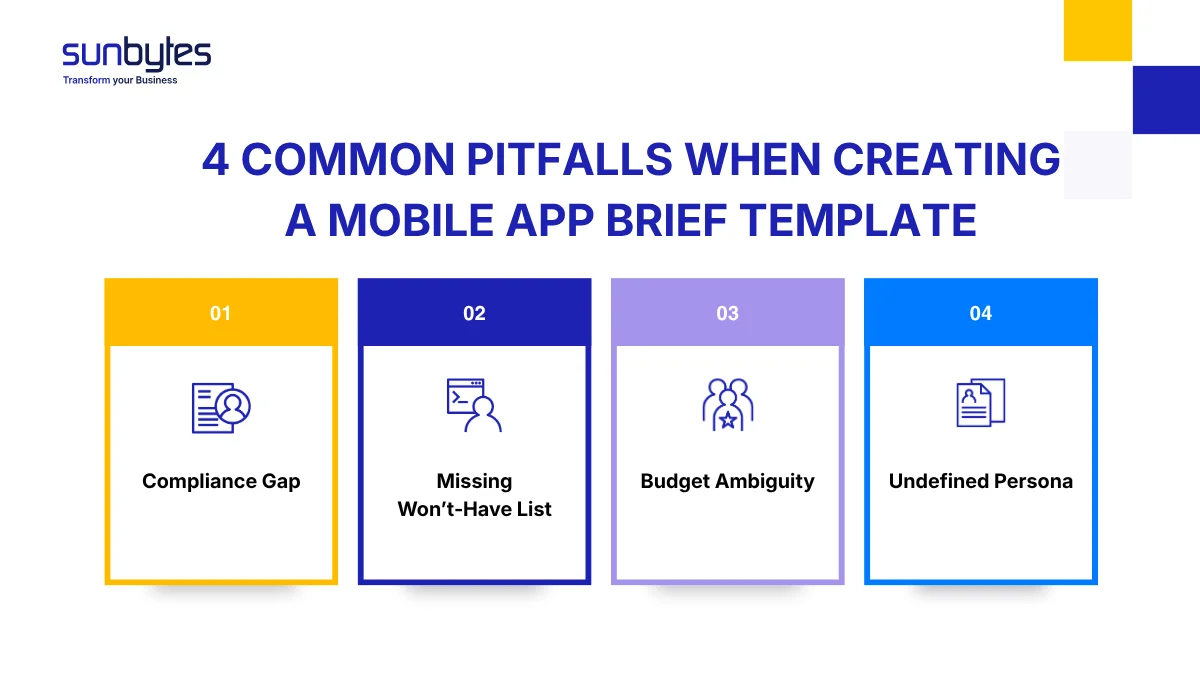
Compliance is left blank
Many briefs describe features in detail but leave data requirements empty. For EU apps, that creates a quote gap immediately. If the app stores employee data, customer data, location data, payment data, or health-related data, the vendor needs to know early.
The fix: list every personal data type, user region, data residency expectation, and internal review requirement. Even a rough answer is better than a blank section.
The won’t-have list is missing
Most teams can list what they want. Fewer teams define what is out of scope.
That missing column is where scope creep starts. “Won’t have: ERP integration in version 1” is not a negative statement. It is a cost-control statement.
The fix: add at least three won’t-have items to the brief. If stakeholders disagree, resolve that before sending the brief to vendors.
Budget is called flexible
A flexible budget usually means an unclear budget. Vendors then quote the largest reasonable version of the project, while your internal team may be expecting an MVP.
The fix: provide a range and say whether it is firm or indicative. If you do not know the range, ask vendors to quote phased options.
The user persona says “general public”
“General public” gives the vendor almost nothing to work with. It does not define device, technical literacy, user motivation, accessibility needs, support expectations, or infrastructure scale.
The fix: describe the user in context. “EU retail customers booking appointments on mobile during working hours” is already more useful than “general public.”
What happens after you send the brief
A good brief should not produce only a price. It should produce three useful outputs from the vendor.
- First, you should receive an initial estimate range. At this stage, a range is more credible than a fixed number because the vendor has not completed discovery yet.
- Second, you should receive clarifying questions. Strong questions are a buying signal. They show the vendor has read the brief, found the risk points, and understands where assumptions still exist.
- Third, you should receive a proposed delivery approach. That may include team shape, discovery steps, platform recommendation, architecture direction, or MVP phasing.
When you compare vendors, do not compare price alone. Compare assumptions. Ask each vendor what they included, what they excluded, what they see as the highest risk, and what they need from your team in the first sprint.
For delivery tracking after vendor selection, use metrics that show both speed and stability. DORA defines software delivery metrics such as change lead time, deployment frequency, and failed deployment recovery time. These are more useful than asking whether the team “seems fast” after two sprints.
How Sunbytes works with your brief
At Sunbytes, we use the app brief as the starting point for technical validation, delivery planning, and risk identification, not just estimation.
Once we receive your brief, our team reviews the business goals, feature priorities, integrations, platform requirements, and scalability expectations to identify delivery risks early and clarify missing requirements before implementation begins. This helps teams move from discovery into structured planning in 2–4 weeks.
For regulated or enterprise environments, we also review operational and security requirements against ISO-guided delivery practices, GDPR expectations, access management, and infrastructure scalability needs where relevant.
With over 15 years of experience and 300+ projects delivered across industries and regions, Sunbytes helps Dutch and European companies turn app briefs into delivery-ready Digital Transformation Solutions. Accelerate Workforce Solutions supports the people layer by helping form the right senior delivery team, while Cybersecurity Solutions supports the control layer by addressing access, data protection, and security risks before they slow the build.
Ready to move from app brief to delivery plan? Talk to Sunbytes about turning your brief into a structured roadmap and accurate estimate.